iPhone · iPad · iOS 17 or later

The teleprompter that
follows your voice.

Prompter listens: the text scrolls while you read and stops the moment you stop. No speed to set, no chasing the text. No account, no ads, and your scripts never leave the device.

Version 1.0 · October 2026 · interface in French and English · Apple speech recognition, on device when the language is installed for dictation

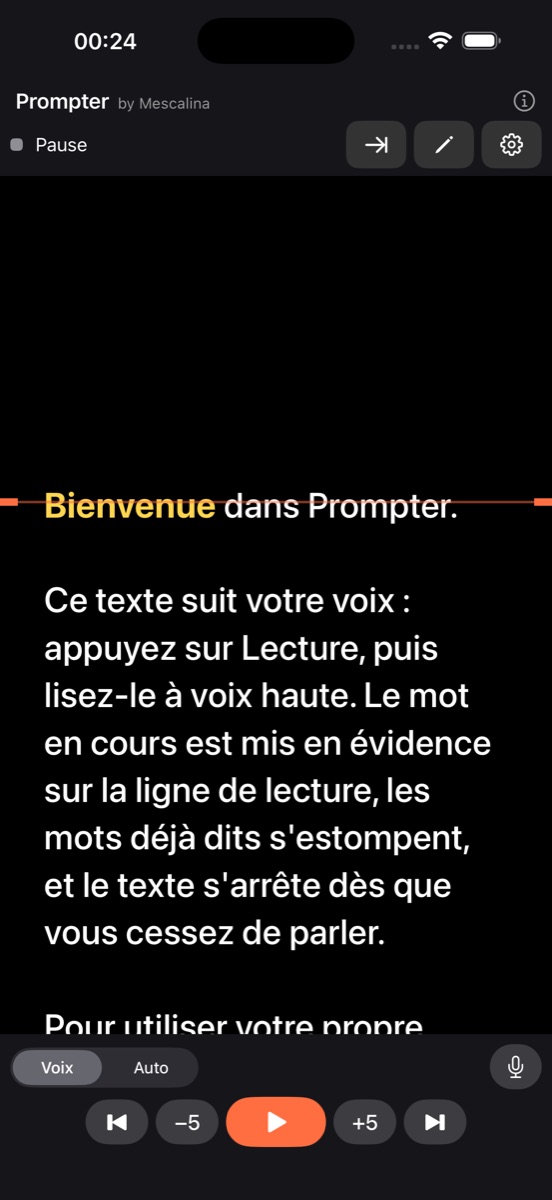
Prompter on iPhone: the current word is highlighted on the reading line

A teleprompter that listens

You read, it follows. The current word is highlighted on the reading line, the words already said fade out, and the text stops with you.

Voice tracking

The text advances at the pace of your reading, word after word. It tolerates hesitations, skipped words and retakes: it re-aligns on what you say, and stops the moment you stop.

The reading line

A guide line at the height you choose, the current word highlighted in gold, past words dimmed: your eye always knows where to pick up.

Automatic mode

Prefer a steady scroll? Auto mode scrolls the text at the speed you choose, in words per minute, like a classic teleprompter.

Mirror for teleprompter glass

Horizontal mirror for a glass in front of the lens, vertical mirror, full screen with a double-tap, and the screen stays on throughout the read.

Remote screen

Use the iPad or iPhone as a display driven by another device on the local network, with the Prompter server from the web version.

External keyboard on iPad

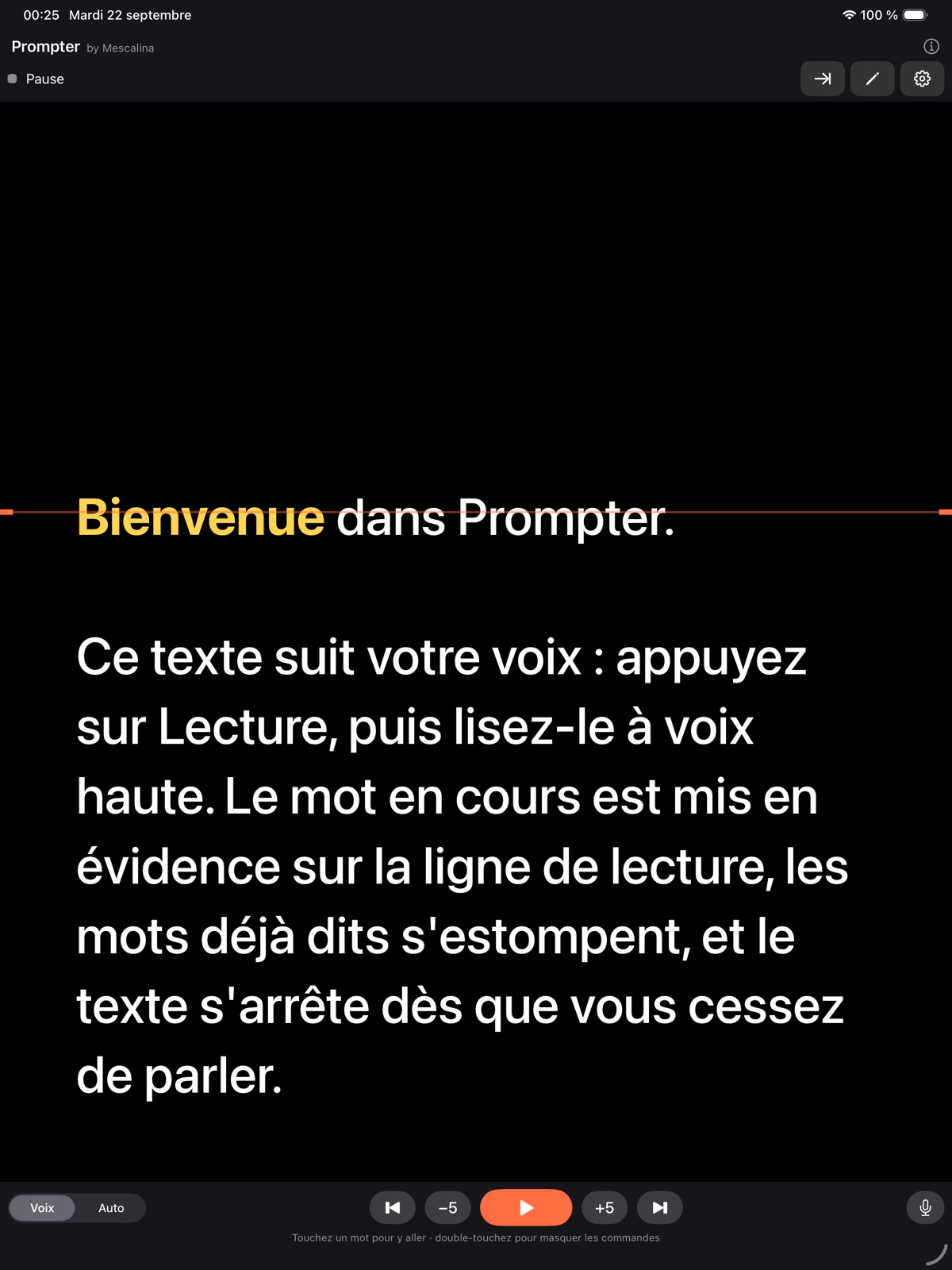
Space for play and pause, arrows for the previous or next sentence and for ±5 words, Home key to go back to the first word.
Your text

Paste, import, read

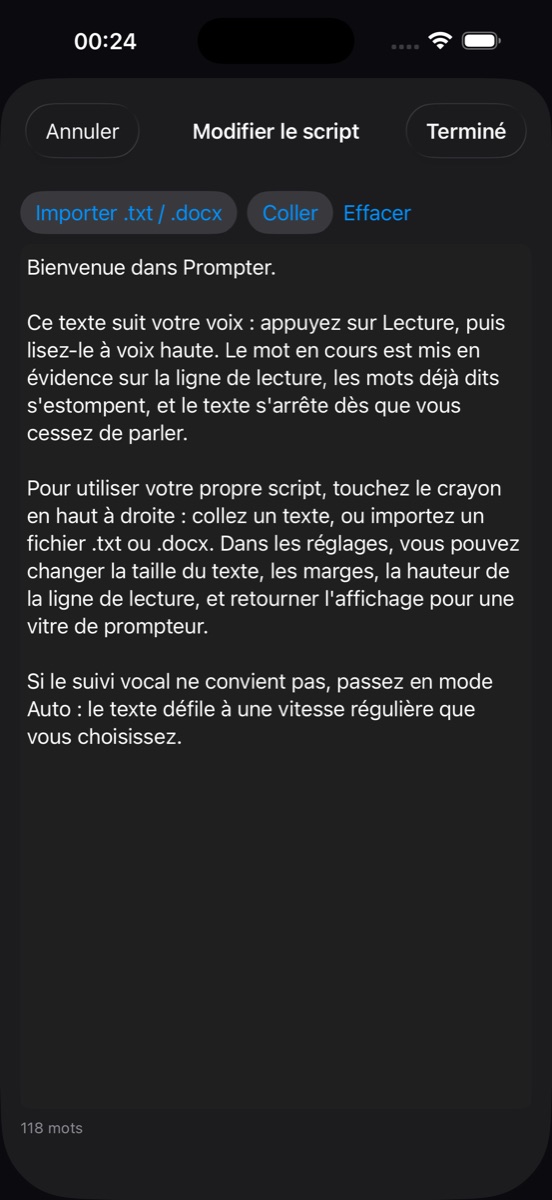
The pencil at the top right opens the editor: paste or type your text, or import a file. From Files or Mail, “Open in Prompter” loads a document directly.

  • .txt and .docx files
  • Tap a word to jump there, previous or next sentence, ±5 words
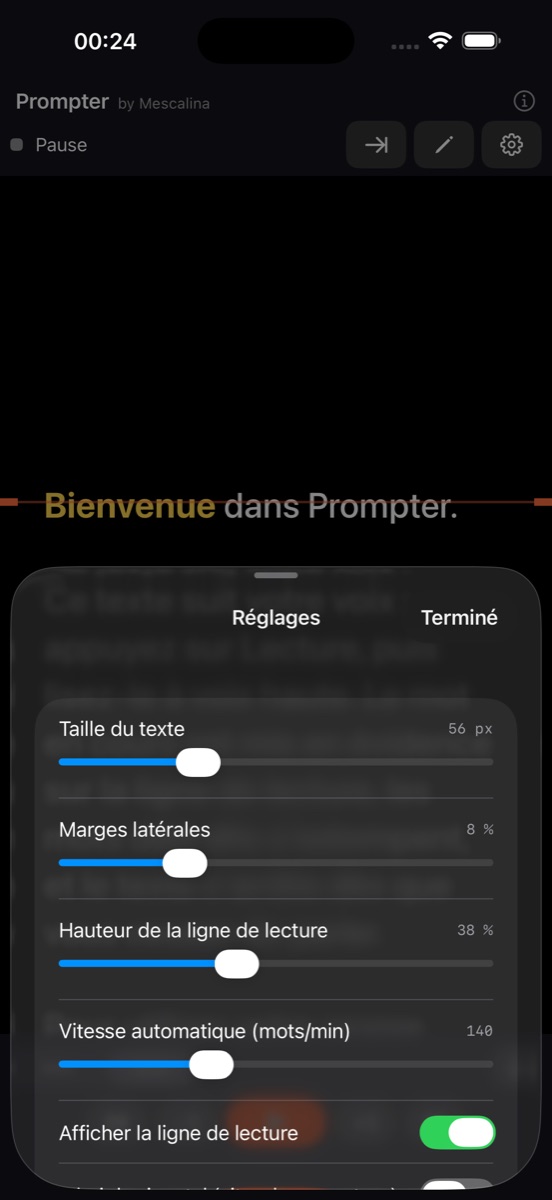
  • Adjustable text size, margins and reading-line height
  • Recognition language of your choice: French, English, Spanish, German, Italian, Portuguese, Dutch
.txt.docxPasteOpen in Prompter
Prompter: the text editor
The editor: paste, type or import.
Prompter: the settings
Settings: size, margins, line, mirrors, auto speed, language.
Prompter on iPad: the read, large
On iPad, the text large, readable from a distance, with the external keyboard to drive it.

Ready in three steps

No account, no speed to set: the app opens on a sample text.

Add your text

Paste it, type it or import a .txt or .docx. The sample text explains how it works if you want to try first.

Press Play

Allow the microphone and speech recognition, once. Nothing is recorded: Apple's dictation only serves to follow your voice.

Read

The text scrolls with you and stops when you stop. Double-tap for full screen, flip the image for a teleprompter glass.

Version history

New versions are distributed through the App Store.

1.0

October 2026 · App Store
  • First release: voice tracking, automatic mode, reading line, mirrors, full screen
  • .txt and .docx import, “Open in Prompter”, navigation by word and by sentence
  • Remote screen on the local network, external keyboard on iPad
  • Interface in French and English

Support

A question, the mic that won't open, text that doesn't follow? The answers to frequent questions and the contact are on the support page.

Open support