iPhone · iPad · Android · Free

The web radio that gets you discovering
new artists, live 24/7.

RadioVX is the app for the Vox Connection web radio. The live stream in one tap, in the background and with the screen off, the current track and its cover art, the track history, likes, and a form to submit your own tracks to the radio. No account, no ads, no data collected at all.

iOS 17 or later · Android 8 or later · interface in French and English · radio2.vox-connection.com

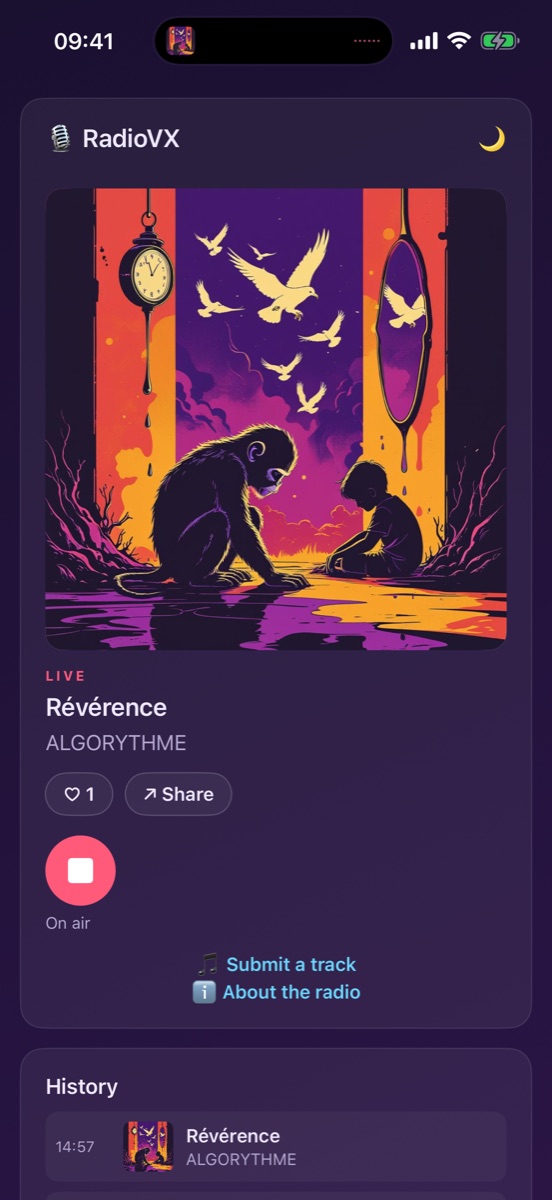
RadioVX on iPhone: the live stream with the current track's cover art

Everything you need to listen to the radio

One page, one big button, and the radio keeps playing while you do something else. The rest is there when you need it.

The live stream in one tap

One button to start the stream. Playback continues in the background and with the screen off, with controls on the lock screen, in Control Center, on your headphones and, on Android, in the notification and Android Auto.

The current track, large

The cover art, title and artist appear the moment a track starts, in the app and on the lock screen. A link leads to the artist's site when there is one.

The track history

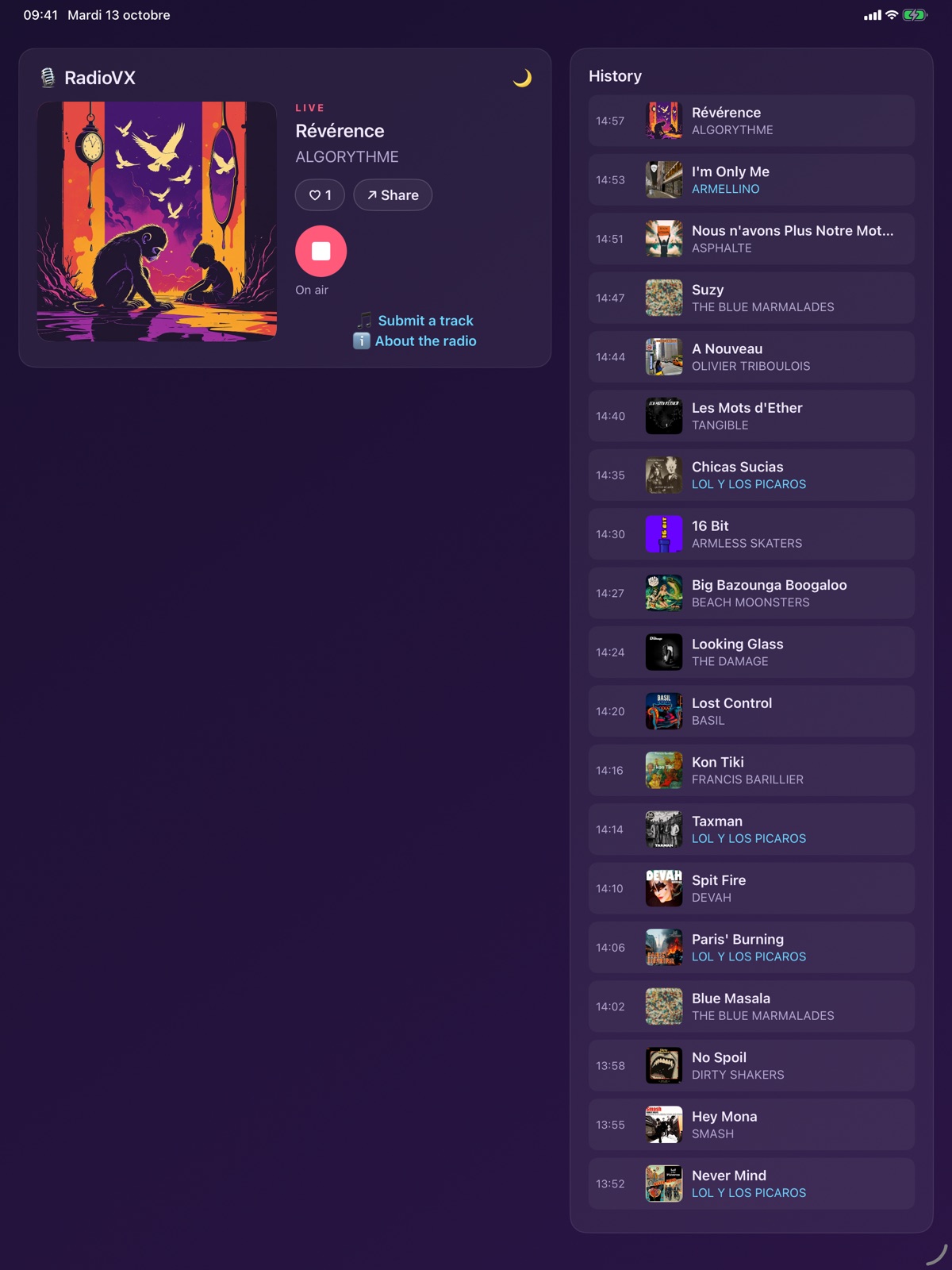
Missed the name of a track? The last tracks played stay listed with their air time, cover art and artist.

Like and share

A heart to support the artist, a button to share the track you're listening to by message or on your networks.

Submit a track

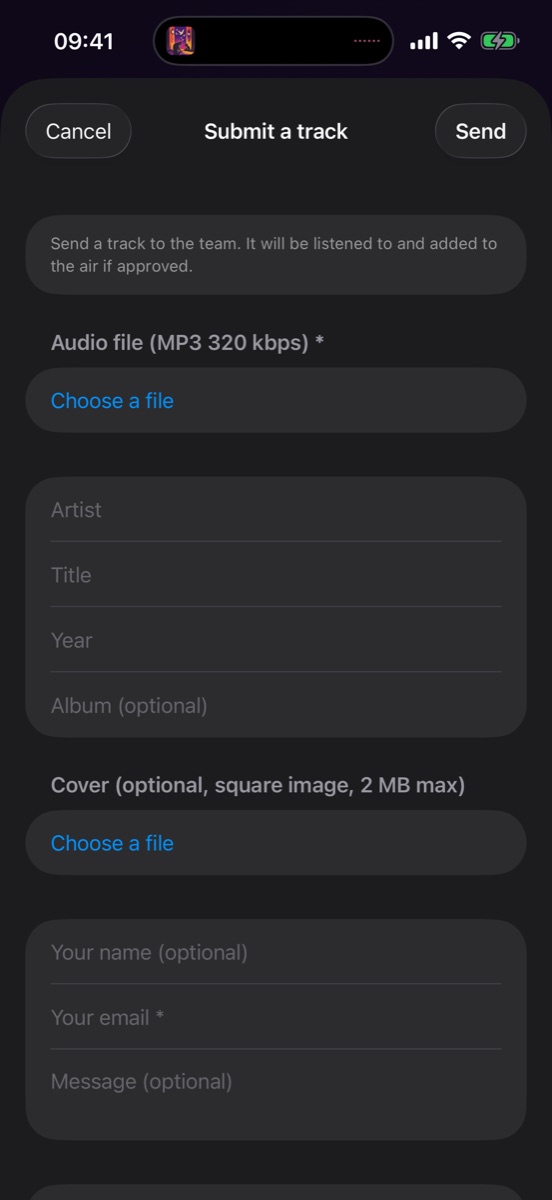
Are you a musician? Send your track to the radio team straight from the app: audio file, cover art, artist, title, year, a few words with it.

Sleep timer

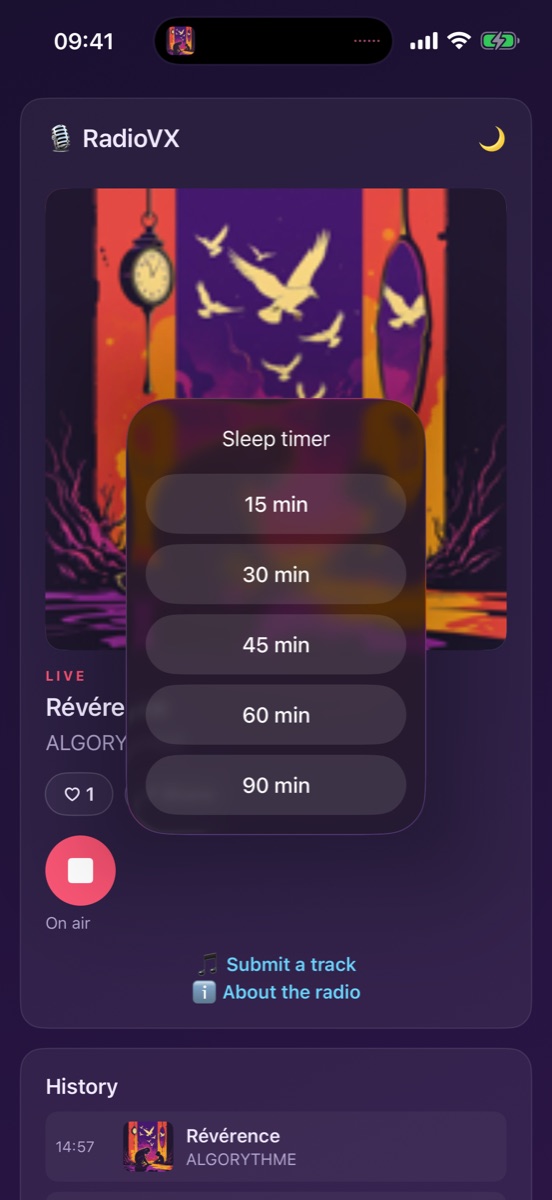
Pick 15, 30, 45, 60 or 90 minutes and the app stops on its own. To fall asleep to music without a second thought.

For artists

Your track, on the air

Vox Connection programmes independent artists. The “Submit a track” form sends your track to the radio team, who listen to it before adding it to the schedule.

  • An MP3 at 320 kbps, a square cover, the artist name, the title and the year
  • Your e-mail to receive the team's reply
  • Every airing shows the cover art and the link to your site
  • Listeners can like and share your track
MP3 320 kbpsSquare coverReply by e-mail
RadioVX: the Submit a track form
The submission form, on iPhone.
RadioVX: the sleep timer
The sleep timer, on iPhone.
RadioVX on iPad: player and history side by side
On iPad and tablets, the player and history side by side.

Ready in three taps

No account, no setup: the app opens straight on the live stream.

Install the app

From the App Store or Google Play, for free. It weighs less than a megabyte.

Press the button

The live stream starts in a few seconds. Lock the screen, put the phone away: the radio keeps playing.

Discover

See who's playing, like a track, share it, and find the one you missed in the history.

Version history

New versions are distributed through the App Store and Google Play.

2.0 · iPhone and iPad

October 2026 · App Store
  • App fully rewritten: background playback, controls on the lock screen and headphones
  • Current track, artist and cover art, history of the last tracks
  • Likes, sharing, “Submit a track” form, sleep timer
  • iPad support, interface in French and English

1.0 · Android

October 2026 · Google Play
  • First Android version: the same features as on iPhone
  • Controls in the notification, on the lock screen, Bluetooth headphones and Android Auto
  • Phones and tablets, Android 8 or later

1.0 · iPhone

March 2023 · App Store, under the name “Vox Connection”
  • The radio's first app: playback of the live stream and the discovery show

Support

A question, a stream that won't start, an idea for improvement? Check the answers below or write to us.

Which devices does RadioVX run on?

On iPhone and iPad with iOS 17 or later, and on Android 8 or later phones and tablets. The app is free on both stores.

The radio stops when I lock the screen.

It shouldn't: playback continues in the background. If it stops, check that the sleep timer isn't on (moon icon top right) and, on Android, that the app isn't under strict battery saving in the phone settings.

The stream takes a long time to start or cuts out.

The stream needs a stable connection. When switching from Wi-Fi to mobile data, the app reconnects on its own within a few seconds. If the dropout persists, stop then restart playback.

How do I submit my track to the radio?

Open “Submit a track” from the main screen, attach an MP3 at 320 kbps and, if possible, a square cover, enter the artist, title, year and your e-mail. The radio team listens to every submission and replies.

Can I replay a track from the history?

No, RadioVX only streams the live broadcast. The history is there to find the name of a track and its artist, with the link to their site when there is one.

What data does the app collect?

None on the publisher's side: no account, no ads, no analytics. The “like” sends an anonymous identifier to the radio server; the submission form sends your files and e-mail to the radio team. See the privacy policy.